

We love easy ways to customise stuff, especially with the purpose of promoting our name.
Just last week our new laptop had it’s first outing to a networking event, in a room of 200 people the laptop was in view for most of the time there. Checking web stats after, we had lots of new visitors and indeed members! A special hello to you if you’re one!
So, this is how we did it.
You might think that £250 is a big outlay, but for a top of the range Cricut Explore cutting machine and everything it can do, it really is an investment worth considering. Not only can you cut your own marketing materials, you can turn exhibition boards into a work of art, customise everything from bags, pencil cases and laptops (see below) as well as turn your machine into a business in its own right and cut vinyl, posters, cards and just about anything you can think of for other people. There is a market there, both and online and local business.
You can see our laptop’s case above, it caused quite a stir at our event last week. It’s since been used in train stations, coffee shops and next week when we’re off camping at the seaside, it’ll be seen out and about in Devon too.
And it’s incredibly easy to do.
Using the Cricut Design Space – this is a program you’ll use to set your designs. You can use one of the many pre-installed templates for iPhone covers, bunting etc or, like me you can wing it and upload your own. The program will tidy up scans and photographs too so you really can cut anything.
Design Space will set your images to use up the least amount of vinyl – or whatever fabric you’re cutting, you simply place the vinyl on the sticky cutting mat and follow the instructions – paying attention to the setting – if you’re cutting vinyl, don’t use the felt setting. The vinyl setting is clever because it only cuts the top layer, leaving the non-sticky sheet intact so you can peel it off perfectly.
It’s all very clever.

So step one, once your vinyl is cut, my advice is for small items to carefully peel off the backing and carefully place your design straight onto the product, like so.
 For larger, especially long vinyls, I found it easier to peel a little away from one end and then with that end secured in the right place, peel the backing off carefully – pulling it from below, keeping one hand on the other end to ensure it is placed correctly.
If you try to remove the backing completely, you could be left with some aspects not quite in the right place – risking the whole look.

Once securely in place, you need to peel off the unrequired sticky part, this will leave behind some aspects such as the holes in the lettering, but you can use the Cricut tools to pick these out easily.
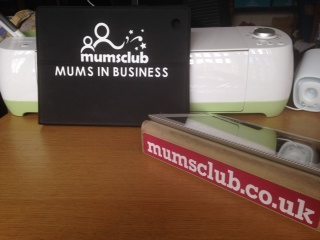
And then, voila you’re done. Ready to wow anyone you meet.
This can be used for all your portable products and we thoroughly recommend it!
The Cricut Explore costs £249 and is available from Amazon, Hobby Craft and other craft retailers.


